Make it yours.
Dial in your colors. Choose rounded modules or dots. Add a logo, refine the corners and watch your QR code take shape.
From screen to print. ↗ FlexiQR
Made for macOS · Windows in development
Turn a link, a contact or a Wi-Fi network into a QR code that belongs to your brand. Create privately on your Mac. Export beautifully.
3-day trial in the app · Pro options in the App Store

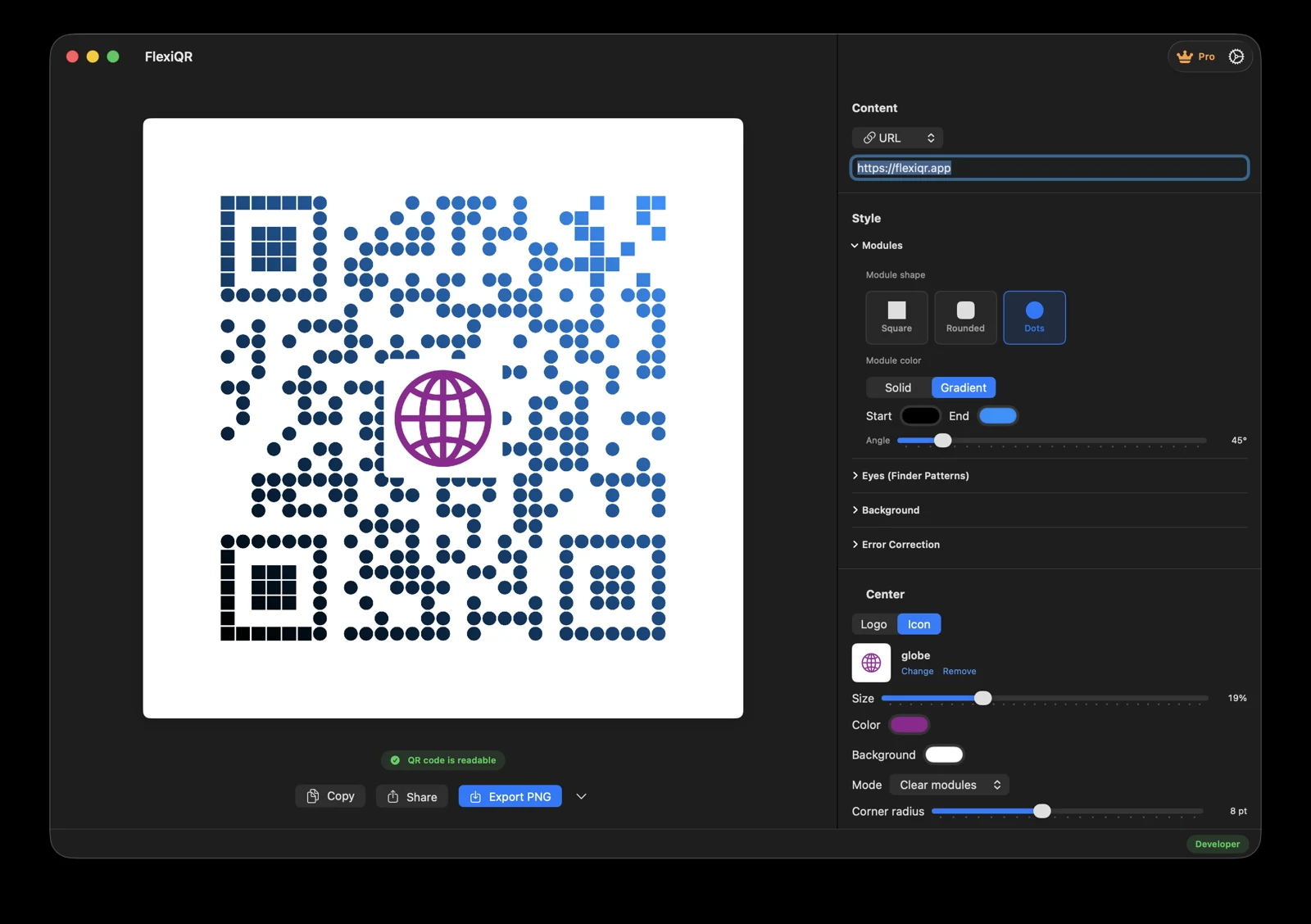
The actual FlexiQR workspace on macOS. Your content stays on your computer.
A LITTLE CODE. A LOT OF POSSIBILITY.
For the card someone keeps, the menu someone opens and the Wi-Fi password nobody wants to type.
Dial in your colors. Choose rounded modules or dots. Add a logo, refine the corners and watch your QR code take shape.
From screen to print. ↗Wi-Fi passwords and contact details are encoded locally. QR generation needs no upload, cloud account or internet connection.
Privacy ↗PNG and JPEG for everyday sharing. SVG and PDF for sharp artwork. Copy SVG directly into compatible design apps on Mac.
Built-in readability checking helps catch a design that cannot be decoded. Always test the final size and material with a real phone.
A website, text, email, phone number, SMS, Wi-Fi network or vCard.
Bring your colors and logo. Adjust shapes, corners and background.
Choose PNG, JPEG, SVG or PDF. Test it on a phone, then put it to work.
SMALL ON A CARD. SHARP ON A POSTER.
Keep your project editable. Reopen it when the details change, then export a fresh code. A static QR stores its content directly; changing that content means replacing the printed code.
SVG + PDFA good QR code starts here.
A native macOS workspace for your colors, your content and your next idea. Download from the Mac App Store and explore the trial in the app.
Get FlexiQR for Mac ↗Mac prices and available Pro plans are shown in the App Store and in the app. Windows purchasing opens after release.
We’re bringing FlexiQR to Windows 10 and 11. It’s still in development. Leave your email for a launch update.
Keep me posted →QR generation runs locally on your Mac. Opening a website from a QR still needs internet access. App downloads and purchase verification also use an internet connection.
FlexiQR creates static QR codes with the content stored directly in the code. The code has no service-controlled expiry, but a linked website can change or become unavailable.
Yes. FlexiQR exports PNG, JPEG, SVG and PDF. You can also copy SVG on Mac for pasting into compatible design apps.
You can edit a saved FlexiQR project and export it again. The content inside an existing printed static code cannot be changed; you need to replace that code.
The Windows version is in development for Windows 10 and 11. You can join the launch notification list. It is not a released product yet.
Mac pricing and available Pro plans are displayed in the App Store and the app. The planned Windows offer is a 3-day trial followed by a $6.99 lifetime license; sales have not opened.
A browser tool can be a good choice for one simple QR. A desktop app becomes useful when design control, editable projects and several export formats matter.
Read the guide ↗

